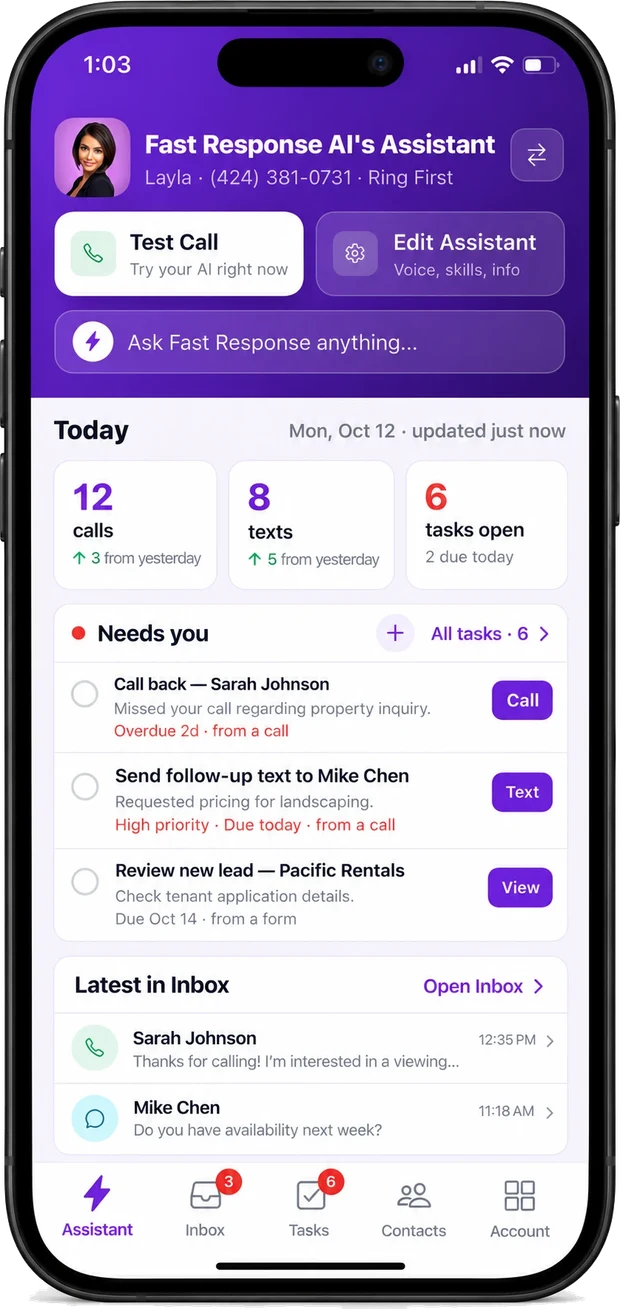
HVAC Answering Service That's Also Your Phone System
Answer every call, then earn more on every job. Your techs pick up first, AI answers when they can't, and automations offer maintenance plans and add-ons while you're already on site.
Keep your current number: port it over, or simply forward it.
Try a no-heat emergency, ask about the diagnostic fee, or book a tune-up. It's a demo line for a fictional HVAC company.
InboxAllAI answeredYour team
AI
No-cooling call before you're on site7:20 AM
AC quit overnight and the house is already 84 degrees.
Diagnostic booked 11amAI answered
L
Maintenance-plan member, fall tune-up9:35 AM
Am I due for my fall service yet?
Tune-up bookedLuis answered
AI
Routine repair1:15 PM
My thermostat keeps resetting itself.
BookedAI answered
M
Supplier, parts are in3:40 PM
Your compressor came in, want it held at the counter?
Call loggedMarcus answered
AI on a call now
Here's a Saturday. You barely touched your phone.
A real-shaped day. Every call rang your team first. The AI took the ones nobody could, and every call and text landed in one inbox.
3jobs booked
1plan sold
0wake-ups
The plan offer went out on its own an hour after the repair, at your price. Offers like that are automations, on Pro and up.
7:20 AM
CallNo-cooling call before you're on siteAIAI answered
“AC quit overnight and the house is already 84 degrees.”
Answers on the first ring, captures the address and the symptoms, and books a diagnostic into your next open slot, then texts the customer a confirmation.
Diagnostic booked 11am
9:35 AM
CallMaintenance-plan member, fall tune-upLLuis answered
“Am I due for my fall service yet?”
Rang the crew; Luis picked up live from the app on the business number. The call was still transcribed, summarized, and filed on the customer.
Tune-up booked · logged
11:48 AM
TextCustomer texted instead of callingAIText · AI replied
New text · 11:48 AM
no hot water since this morning
We can help. Gas or electric water heater? I can get a tech out today between 2 and 4.
gas. 2-4 works
A customer texts your business number instead of calling. The AI replies from the same number in seconds and carries it by text until it's booked. The thread lands in the same inbox as your calls.
Replied in seconds · estimate booked
1:15 PM
CallRoutine repairAIAI answered
“My thermostat keeps resetting itself.”
Not an emergency. Captures the equipment and address, books it into the next open slot, and leaves your afternoon uninterrupted.
Booked · next open slot
2:00 PM
JobAC repair doneLLuis on site
The morning's no-cooling call turned into a repair. Luis wraps up and the appointment ends on your calendar, which is what the next automation keys off.
Appointment ended · customer not on a plan
3:00 PM
TextMaintenance-plan offerAIAuto-text· Pro
Automation · 1 hr after the repair
Avoid the next breakdown. Our maintenance plan is $199 a year with 2 tune-ups and priority service. Reply PLAN to join. Reply STOP to opt out.
PLAN
You're in. We'll text you when your first tune-up is due.
The customer isn't tagged Maintenance plan, so an hour after the appointment ended an automation sent your plan offer at the price you set. The PLAN reply tagged the record for the office.
Plan sold · tagged for the office
3:40 PM
CallSupplier, parts are inMMarcus answered
“Your compressor came in, want it held at the counter?”
The call rang the crew; Marcus took it live on the same number and kept the job moving.
Call logged
6:40 PM
CallPricing question after hoursAIAI answered
“What's your diagnostic fee, and do you cover my area?”
Answers from your pricing and service area, captures the lead, and logs it so your office can follow up first thing.
Answered · lead captured
1:52 AM
CallNo-heat emergencyAIAI answered
“Furnace died and we have a newborn in the house.”
Asks the symptoms and address, flags it a true emergency by your rules, and rings your on-call tech, then texts the customer an ETA. It only wakes you if your rules say a human must. You read the summary at breakfast.
Emergency dispatched · tech ETA texted
Monday morning
No more scrolling. Just ask about it.
Ask Fast Response reads every call, text, chat, task and contact on your line. Type a question and get the answer with links to the actual conversations, plus quick actions you can act on.
8 conversations Saturday, 3 jobs booked, 1 plan sold. 6 handled by the AI and 2 by your team, each with a recording or thread and a summary.
No-heat emergencyPricing question after hoursSupplier, parts are in
Ask about calls, texts, tasks or contacts…
Built around the calls an HVAC shop actually gets
Train it once on your service area, fees, maintenance plans and on-call rules. Then it handles homeowners, plan members and suppliers, and hands off when it should.
“Furnace died and we have a newborn in the house.”
01Emergencies
Triage by your rules
No heat with a newborn, no cooling in a heat wave, a gas smell: your rules decide what rings the on-call tech at 2 AM. Everything else books the next open slot.
“AC quit overnight and the house is already 84 degrees.”
02Service calls
Books the diagnostic on your calendar
Captures the address, the system and the symptoms, then books the visit on your Google or Outlook calendar and texts the homeowner a confirmation.
“What's your diagnostic fee, and do you cover my area?”
03Pricing
Answers the fee and area questions
Diagnostic fee, service area, financing, licensing: set them once and the AI answers them on every call, day or night.
“Am I due for my fall service yet?”
04Maintenance plans
Keeps plan members on schedule
Members calling about a tune-up get booked into the next open slot, and the call is logged on their record.
A tech picks up between jobs, the AI stays out of it.
05Your team
Rings your techs first
Office and field phones ring for about 15 seconds before the AI steps in. Anyone can watch an AI call live, whisper, or take it over.
“2 calls this season: Oct 3 (no heat), Nov 12 (tune-up).”
06Record
Every call on the customer's record
Calls, texts and chats per customer and address, with AI summaries, so the next tech knows the history before they roll.
Running several locations or service brands?One login, one inbox, a separate number and greeting per location if you want it.
Multi-business · all plans
What's different from forwarding calls to an AI receptionist?
Most AI receptionists just forward the calls you miss to their AI, so they only ever see those. Fast Response is the business line itself, so every call lands in one place.
Forwarding to an AI
Only the calls the AI takes are loggedYou forward the calls you miss to their bot, so that's all it ever sees.
Calls your tech answers leave no recordPick up on a cell and there's no recording, transcript, or summary.
Automations fire on the AI's calls onlyRules can't act on a call the system never handled.
Phone line and AI dashboard stay separateTwo tools, two inboxes, nothing joined up.
Fast Response
AI and team calls in one logWhoever answers, the call lands in the same place.
Every call recorded, transcribed & summarizedFiled on the contact automatically, with the texts and chats.
Automations on every call, AI or humanText a booking link to a caller who didn't speak, or text your own rep the second a hot lead comes in.
One business line and inboxCalls, texts, and web chat together, not scattered.
The AI answers the call. Automations turn it into revenue: plan offers, add-ons and rebooked cancellations. Pick a recipe, set your price, turn it on. On Pro and up.
Calendar trigger
Maintenance-plan offer after a repairTurn a one-off repair into a plan member. On Pro and up.
1 hour after a repair appointment ends, if the customer isn't tagged Maintenance plan, text them: "Avoid the next breakdown. Our plan is $X a year with 2 tune-ups and priority service. Reply PLAN to join. Reply STOP to opt out."
Calendar trigger
Filter add-on before a tune-upA ticket item added with no extra truck roll. On Pro and up.
24 hours before a tune-up, text the homeowner: "See you tomorrow. Want a new filter installed while we're there for $X? Reply YES. Reply STOP to opt out."
Calendar trigger
Cancelled jobs get a rebook linkRebook work that would otherwise go to a competitor. On Pro and up.
When an appointment is cancelled, text the customer a link to pick a new time.
Text trigger
YES and PLAN replies reach the techThe add-on is on the ticket before the truck leaves. On Pro and up.
When a customer tagged Upsell sent replies YES or PLAN, tag them Upsell accepted and post the job to your Slack channel so the tech on site adds it.
Call triggerTemplate
No-heat and no-cooling calls reach the on-call techA cold house can't wait for Monday.
When the transcript mentions no heat or no cooling, text the on-call tech right away.
Call trigger
Replacement quotes move to QualifiedSystem-replacement leads don't sit in the inbox.
When the transcript mentions a quote or a system replacement, move the caller to Qualified.
Call trigger
Review requests after a good callHappy customers become five-star reviews.
When a caller sounds happy and the issue is resolved, text them your review link.
Call trigger
Booked jobs go to your field-service softwareThe call details arrive without re-typing them.
When the summary mentions a booked service visit, send the job details to your field-service software by webhook.
Call trigger
Service requests by text get a booking linkCustomers who text get an answer in seconds.
When a customer texts asking for service, reply with your booking link and the next open times.
Real recordings from the same assistant that will answer your line. Or skip the samples and call the demo line yourself.
AI ASSISTANT
AI Appointment Booking
This assistant booked an appointment straight onto our client's calendar — automatic win!
1:34
AI ASSISTANT
Collecting Information
This assistant collected customer information and sent an SMS notification with it to the business owner.
0:49
AI ASSISTANT
Switching to Mandarin
Our assistant speaks up to 40 languages. Hear it switch from English to Mandarin mid-call.
0:36
Flat pricing. No per-seat fees.
Most HVAC shops land on Pro: the office and every field tech on one number, for $79 a month. Pro includes the upsell and dispatch automations. Two months free on yearly plans.
Starter
$29/mo
Handle everyone who contacts you.
For operators who are done losing business to voicemail.
250
Voice min
30
AI min
250
Texts
∞
Chats
Included each month, then pay-as-you-go
Calls and texts, answered 24/7
Outbound AI calls
Website chat embed
Basic integrations: Google Calendar & Outlook
Emergency triage and dispatch to your on-call staff
Pay as you go after your allowance, from a prepaid wallet you control. See full pricing
HVAC, in depth
How much does a missed call cost you?
Why do HVAC companies use an answering service?
Because a no-heat call at 11 PM in January goes to whoever picks up first, and your techs are on rooftops, not by the phone. Human answering services cover the overflow at $200-500 a month and still just take a message. Fast Response answers on your own business line, triages the emergency, books the diagnostic or dispatches your on-call tech, and texts your crew a summary. Anyone can pick up any call live from the app, and those calls are logged exactly like the AI's.
It also earns on the jobs you already have. On Pro and up, an automation texts your maintenance-plan offer an hour after a repair to customers who aren't members yet. A maintenance plan typically runs $150 to $500 a year, so one plan sold by text covers months of the service.
A missed no-heat call at 11 PM is an emergency visit, and often a system replacement, booked with a competitor.
A human answering service runs $200–500 a month, and after-hours surcharges land on exactly the no-heat calls that matter most. Fast Response is $29 for the line with 24/7 AI answering included, $79 with dispatch automations, $249 with outbound maintenance campaigns. No surcharges, no contract.
HVAC after-hours answering service for no-heat and no-AC calls
When a furnace dies at 11 PM or an AC quits in a heat wave, Fast Response answers on the first ring, captures the address and symptoms, and decides whether it's a true emergency by rules you set. A no-heat call with an infant in the house rings your on-call tech within seconds, with the details they need to roll. Routine repairs get booked into the next open slot instead of waking anyone up. No scripted call center, no busy signal during the seasonal rush, and every call in one inbox.
Fast Response starts at $29/mo, and $79/mo covers your whole crew with no per-seat fees. No contract. Most companies are live in about 5 minutes, and you only pay more if you go past your monthly call and text allowances, far below the $200–$500/mo a traditional HVAC call center runs. See full pricing →
Yes. On Pro and up, automations text customers an offer at the right moment, like during a visit or after a repair, using your prices. A YES reply alerts the tech on site. Customers can reply STOP to opt out.
Yes. The AI answers 24/7, decides whether a call is a true emergency using rules you set — no heat, no cooling in a heat wave, a gas smell — and rings your on-call tech within seconds, while routine repairs get booked for the next open slot.
It books straight onto your connected Google or Outlook calendar and texts the customer a confirmation. For field-service software, an automation can send the call details over by webhook, or through Zapier or Make if your software is on them. We don't claim a native sync we don't have.
Both. The AI answers every call in up to 40 languages so nothing hits voicemail, and any tech or your office can pick up live or take over a call the AI is already handling. Whoever takes it, you get one recording, transcript, and summary per call.
Unlimited concurrency means every call is answered at once. A day that triples your volume never hits a busy signal, so the overflow doesn't go to a competitor.
Yes — set up your service area, diagnostic fee, financing, and licensing, and the AI answers those automatically, so your team stops repeating themselves and stays on the work that pays.
Yes. You can port your existing number over to Fast Response, or keep it where it is and forward missed calls to your AI assistant. In our mobile app, your personal calls and Fast Response calls are clearly labeled on the call screen, so you always know which is which.
Yes. On any plan you can place calls and send single texts from the web or mobile app, and the AI can send one-to-one follow-up texts on your behalf. Mass outbound calling and texting — importing a list and launching campaigns — is on the Scale plan and requires A2P registration (approval usually takes 2–3 weeks). You're always in control of what goes out.
The AI answers calls in up to 40 languages and switches to the caller's language automatically. Transcripts are accurate in 10 languages: English, Spanish, French, German, Hindi, Russian, Portuguese, Japanese, Italian and Dutch.
All data is encrypted in transit and stored on U.S.-based servers. Your recordings, transcripts, and summaries stay private unless you choose to share them, and we never sell your data.
Stop sending customers to voicemail
Get your AI business line answering calls, texts, and chats in about five minutes. Keep your current number: port it or forward it.