Bring your own desk phone (BYOD VoIP)
Already own a Yealink or another SIP phone? Keep it. As your BYOD VoIP provider and SIP service provider, Fast Response gives you the SIP credentials and a provisioning link, so you don't need to buy hardware from us. Your old provider can stay on the phone's second line while you move, so there's no downtime.
The handset uses the same business phone number as your apps, so your team and the AI receptionist share one line and one inbox.
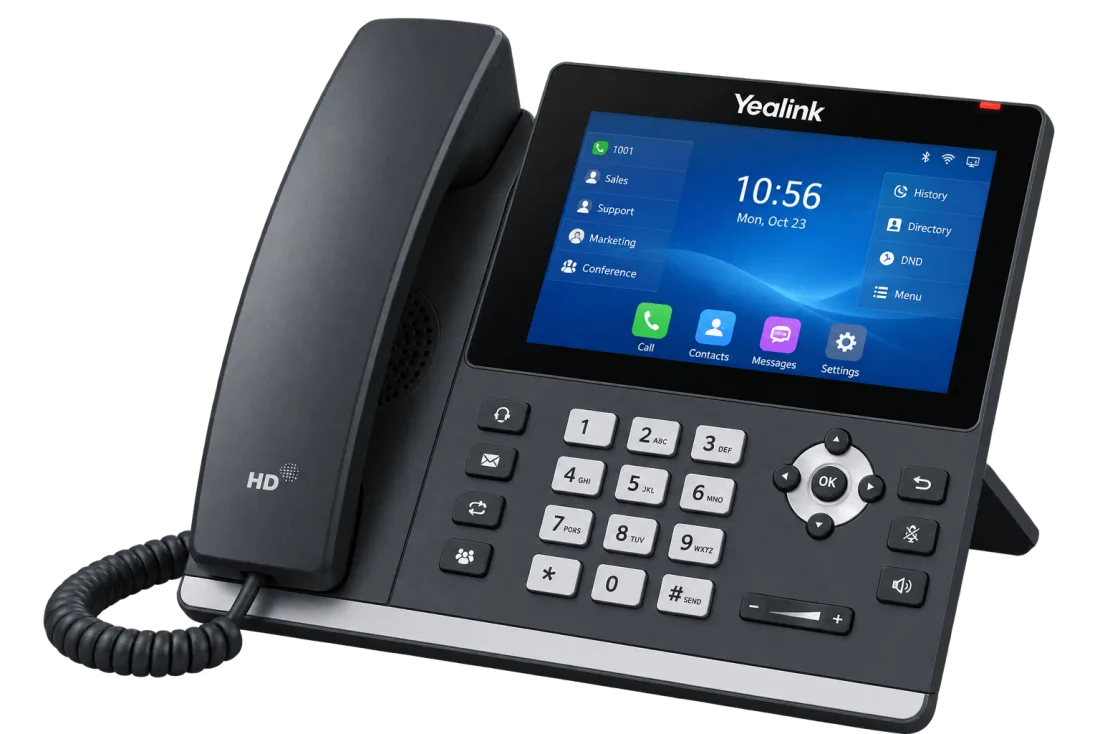
What the desk phone does
Incoming calls ring the handset and the mobile and web apps at the same time. If nobody answers, the AI takes the call and you get the summary.
Dial from the handset and the caller sees your Fast Response business number.
Every conversation, whether your team takes it on the handset or the AI answers, is recorded, transcribed and summarized, then filed on the contact in your shared inbox.
Register your office address once. Emergency calls from the handset carry your business number and that address. Test it with 933 before you rely on it.
Type the phone's MAC address, paste one link into the phone, and watch it come online in your dashboard. Test ring included.
Signaling and audio are encrypted between the handset and our network.
One number for the desk phone, the apps and the AI
A desk phone on its own is one more line to check. On Fast Response, the handset is just another place your business number rings. When a call comes in, the front desk phone, the mobile app and the web app ring together, and if nobody picks up, the AI receptionist answers, books or transfers the call by your rules.
Calls you take or place from the handset get the same recording, transcript and summary as calls in the apps, filed on the contact in the shared call inbox. Nobody has to remember what was said at the front desk.
Desk phones suit small teams with a reception desk, a shared office line or someone who simply prefers a handset. A handset can carry more than one line, so one phone can cover several numbers or teammates.
Supported SIP phones
Yealink T2x and T3x phones set themselves up; other SIP phones use manual settings. Multiple lines per handset.
| Phone | Setup |
|---|---|
| Yealink T31 | Auto (tested) |
| Other Yealink T2x and T3x series | Auto |
| Other SIP desk phones | Manual settings |
Frequently asked questions
Yes. Any paid plan can connect a Yealink or other SIP desk phone to your number, and it rings alongside the apps. Setup takes about five minutes, and 911 works once you register your office address.
Every paid plan: Starter, Pro and Scale. Desk phones aren't available on a free account. Compare plans →
As of October 2026, Quo (formerly OpenPhone) is app-only and does not support desk phones. If you're switching from Quo and want a handset at the front desk, Fast Response connects any SIP phone on every paid plan. Quo (OpenPhone) alternative →
Yealink T2x and T3x series phones set themselves up from a provisioning link, and we test on the Yealink T31. Other SIP phones, including Poly, Grandstream and Cisco models, work with manual settings. A handset can carry more than one line. See supported phones →
No. Bring your own SIP phone. If you need one, a Yealink T31 is what we test on.
How to set up a Yealink desk phone
You'll need the phone plugged into your office network, its MAC address, and an admin login on a paid plan. Allow about five minutes per phone.
- 1Register your 911 address in Settings and wait for it to show Enabled.
- 2Add the phone with its MAC address, read from the phone's Status screen (not the sticker).
- 3On the phone: Settings, Auto Provision, replace any previous provider's URL with the one from your dashboard, Confirm, then Autoprovision Now.
- 4Run the test ring from the dashboard, then place one incoming call, one outgoing call, and dial 933 to confirm the 911 address.
Already a customer? Sign in and open Settings, then Desk phones, to add a handset.
Troubleshooting
Desk phones work on every paid plan. See pricing.